03:24:00 07-05-2013

This is the very first video we’ve ever seen online of somebody we’ve never met playing one of our games. 

:D

Just found another, this one was actually uploaded a little earlier. 

Cool stuff! 

03:12:00 30-04-2013

Just in time too! 

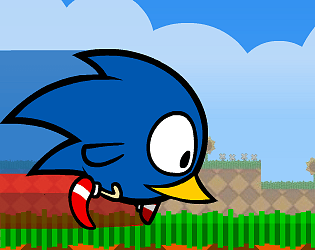
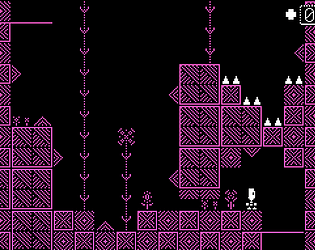
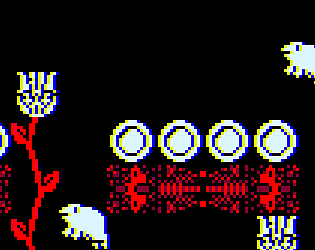
RUNNERIST was made for the Ludum Dare 26 game jam, a contest where you have to try and build a video game in a weekend. Teams can’t enter, so we can’t hope to “win” anything, but we’re allowed to take part in the jam, which also gave us an extra day to play with. 

We’re really, really proud of this little game, and hope you enjoy it too! 

Play it here!

imageimage

image

image

20:50:39 08-02-2013

I spent the last couple of days adding a comment section to the bottom of News posts and under the descriptions on individual Games pages as well as making some minor tweaks to the rest of the site; mostly code structure stuff.

Feel free to start posting comments right away, but as always make sure to send me an email if you encounter any bugs or strange problems and I’ll do my best to sort them out as soon as possible. 

Erik. 

17:24:32 02-02-2013

This Screenshot Saturday we decided to make up for some lost time and show you all a selection of 12 screenshots from our upcoming Flash game Sky Panda!

These screenshots are near-final but may still be changed before release. 

image

image

image

image

image

image

image

image

image

image

image

image

00:43:00 16-01-2013

Starling Logo Image

What is Starling anyway?

The Starling Framework is an open source game focussed ActionScript 3 framework supported by Adobe that replaces the traditional, vector based Adobe Flash display list with a new one that looks an awful lot like it, but behind the scenes is actually running on top of the Flash Player’s new Stage3D functionality. As the name suggests, Stage3D is a way of doing heavy 3D lifting via Flash using the magic of the GPU! Starling however is NOT a 3D framework. There are no 3D transformations here, no z-axis to wrap your head around (though they’re said to be coming!). Starling is designed this way in order to make use of the performance optimisations and hardware acceleration that is available to Flash through this new display technology.

So what’s the big deal?

A little while back Adobe targeted Adobe Air at mobile platforms like iOS and Android, this opened the door for Flash Developers to port existing applications very quickly to the increasingly popular mobile operating systems without having to learn new programming languages or how to use the SDKs. Sounds great, but the problem was that Mobile devices are much slower than a typical PC or Mac and had a hard time drawing Vector Graphics, which rely heavily on the CPU. This is where Starling comes in.

Starling is fast, even on mobiles!

The Starling Benchmark that comes with the Demo Project can display up to 1080 32x32 sprites on the original iPad, plenty enough for most any 2D game I’m sure! The newer models are even more capable and Starling can take full advantage. It’s captured developers imaginations and a number of extensions have sprouted up including a deep, powerful particle system and a beautiful, themable UI kit for mobile devices by the name of Feathers (previously known as Foxhole).

So what’s new in 1.3?

Filters!
Probably the most requested feature since Starling began, we now have access to filters that run on the GPU. They’re fast and easy to use, fairly closely mimicking the traditional Flash method of applying filters. Some of your options at the moment include glow, blur, drop shadow, hue, saturation, brightness, greyscale and invert.

Starling Filters Example

Something to keep in mind however is that only one filter can be applied to an object at any one time, and they don’t yet work on flattened sprites. These features were cut from the current release but I’m sure we can expect to see them make a splash in the next version.

Filters in Starling are basically just pixel shaders, which means that if you know how to use AGAL (a type of assembly language) you can fairly easily write your own filters and effects, how cool is that!

Tweens!
Tweens have been made more robust, with extra properties that make it easy to specify how many times a tween should repeat, if it should play backwards and specify what tweens should come next. It’s now possible to chain tweens together much more easily than in previous versions.

Asset Management
A new class that makes it easy to access assets like bitmaps and sound files in a uniform way, regardless of how they’re being included in the project.

Scale Modes
There’s now a way to easily scale up the Starling stage for various screen resolutions in a way that preserves the games aspect ratio. Super useful for full screen pc games or mobile games which have a huge variety of resolutions. Previously you would have to code this functionality yourself. As is typical with Starling, this new functionality closely mimics the scalemode functionality of standard Flash.

Sounds awesome, where do I get it?

You can download the latest version of Starling here or if you’re comfortable with git then you can pull directly from their github page.

So far I’m really impressed with what they’re doing with Starling and hope you enjoy working with it as much as I do. Can’t wait to see what the future holds for this little bird!

RUNNERIST

Run as far as you can, as fast as you can! Don't stop for any reason!

Sponsered Link
Twitter Feed